
5 Ways to Begin Controlling Social Media
I hope you love the products and resources I recommend here at A Little R & R. Just so you know, it is possible that I get a commission and collect income from the links on this page. As an Amazon Associate I earn from qualifying purchases. Click here for more info.
Have you ever dreamed about going off social media?
I have – a lot of times.
There were two things that kept me on social media:
- Family and friends back home
- My blog fan pages
Maybe you’re like me and are not able to completely walk away, but you’d like to begin controlling social media so that it stops controlling you.

Almost a year ago, I closed down all of my fan pages for A Little R & R because I realized I had been chasing a hustle that I was never going to catch.
I sat and waited for regret to set in. And it never did.
Today I am sharing with you five simple and practical things I’ve done to take control of my social media usage and how you can do this too.
They don’t require you to shut down your social media accounts if that’s not something you want to do, but they will help you get control of how much time you spend on social media platforms.
These five things have been huge game changers for me.
5 Ways to Begin Controlling Social Media
I have had a love-hate relationship with social media. I love the adrenaline rush of seeing likes, comments, shares, and all of that stuff we know is sinister about it….
And hate the feeling of constantly being overwhelmed.
Every day, I felt overwhelmed by having to share a blog post, a Bible verse, or a meme on my fan page that received little interaction.
I felt overwhelmed by the drive to feed the algorithm so that my page wouldn’t be ignored or pushed out of people’s feeds.
And then one day, I said, “Enough!”
I was done trying to feed that beast. I was done trying to hustle online.
It was exhausting!
So, on July 26, 2024, I purged social media. I closed down my A Little R & R fan pages, and over the past year, I’ve evaluated other social media pages I run for my Bible studies and realized that most of them were not effective either.
I expected to feel panicky, especially after deleting my Facebook fan page.
Instead, I felt light! I felt giddy!
Here are five things I did to begin controlling social media:
1. Delete apps you don’t need on your phone
I realized that I didn’t need to have all of the social media apps that I would continue using on my phone. I could use them from my desktop.
Having them on my phone was only feeding a bad habit I’d created for myself:
Avoiding what I should be doing by picking up my phone and thinking, “I’ll just check in for a second and then go do _______.”
The thing is that “second” turned into a half-hour or more.
Not having the app on my phone removed the possibility for me to “check in” and kept me from wasting time.
2. Use the “News Feed Eradicator” browser extension
If you still plan to keep some social media platforms, you can prevent the temptation to get lost in the feed by using the “News Feed Eradicator” browser extension. It hides your feed and stories on every social media platform you can access from your desktop.

My mom best described it: “Facebook is like a big magazine. Your timeline is full of ads, recipes, articles, and, if you’re lucky, a random post from a friend.”
She was so right about that.
It has occurred to me that I can scroll for several minutes before I actually see a post from a friend.
The Facebook of 2006 that I signed up for is not the Facebook of 2025. I rarely see what’s going on in my friends’ lives.
And if I am honest, I can’t keep up with the 1,590 friends I have, anyhow.
So, I’ve narrowed it down to a handful of people I truly want to keep up with, and I visit their profiles regularly to see what’s going on.
3. Use the “Hide apps” feature on your phone.
If you’re like me and you have to have a social media app on your phone for uploading photos and videos, you may not want to delete those apps from your phone.
When I first began taking control of social media, I would add an app back to my phone when I needed it.
But I realized that with increased security, it was getting harder and harder to log back in to those apps. (I see you Facebook!)
However, keeping those apps on my phone was a huge temptation I wasn’t ready to invite back into my life yet.
That is when I discovered that you can hide apps from your Home Screen.
This keeps the app on your phone, meaning you’re still logged in, but you cannot access that app until you unhide it through your settings.
Sometimes taking those extra steps discourages you from making an impulsive decision you shouldn’t make.
Here’s how to hide apps on an iPhone
Here’s how to hide apps on an Android
4. Turn off notifications and teach your friends and family how available you plan to be
One of the things that I struggled with the most was the sense that I was constantly torn in a million different places.
I homeschool my kids, so they need my attention.
I am married, and my husband deserves my attention.
I work from home, and my clients need my attention.
I have email that constantly demands my attention.
I have messaging apps like Voxer, Messenger, Whatsapp, Viber, and Telegram that call for my attention.
And this is all happening 24 hours a day, 7 days a week.
By the end of the day, I would be so exhausted I couldn’t give my family what they needed from me because I had spent all day giving my emotional and mental energy to everyone in the very moment they demanded it.
And then I heard a very wise statement: “You teach people how you want to be treated.”
I realized I had taught everyone I was available the second they called me.
And that’s okay for my family and closest friends if what they have is an immediate need.
But it’s not okay for everyone else.
That was when I turned off my notifications and taught myself to be okay with letting my messages sit for a day or two (or more).
After nearly a year of choosing when I can be available, my friends and family know I may or may not immediately answer them.
I have the preview panel that lets me determine if the message sent is an emergency, and if it’s not, I will answer them at the time I have set aside for answering messages.
My dear friend, this is not ghosting. This is not ignoring people. This is wise boundary-setting, and we need to get back to the place where we properly prioritize those who get our immediate attention and those who can wait!
5. Find accountability
Never underestimate the power of accountability.
Knowing that someone is going to be asking you how you’re doing in a certain area of your life is a powerful tool to keep you on target.
That’s why programs like Weight Watchers are so powerful.
The knowledge that you are going to be checking in keeps you checking your own behavior, and soon those disciplined behaviors become your new habits.
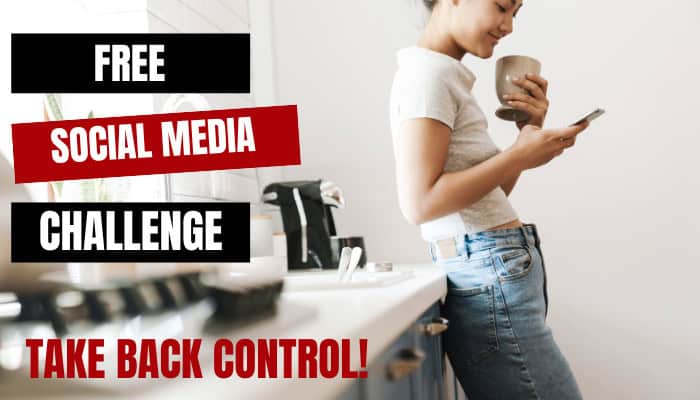
If you’d like greater accountability, I invite you to join my “5 Day Challenge for Controlling Your Social Media“.
This challenge takes you through five days of activities that help you:
- Evaluate your social media
- Determine which platforms you should keep and which ones you can walk away from
- Planning how you will use the platforms you will keep and how often
- and more.
Each day comes with a worksheet to fill out that will help you put pen to paper in a very purposeful way.
Join my FREE Social Media Challenge: